11.05.2006
200+ extremely useful firefox extensions that save time and effort
Categories : Advertising | Archive/History | Blogging | Bookmarking | Chat | Clips/Notes/Scrapbook | Customizing/Editing Website Display | Discover | Downloading/Files/FTP | Email/Gmail/Webmail | Financial/Stocks | Google | Internet Explorer/Other Browsers | Images/Graphics/Maps/Video | Links | Managing Extensions | Mouse | Music | PDF | Passwords | Performance/Speed/Tuning | Print | Privacy | Productivity | RSS/Feeds/Livemarks | Search | SEO Search Engine Optimization | Security | Tabs | Text (Copy/Cut/Paste/Spell/Translate) | Weather | Web Development
Advertising : I want to ...
- block ads on webpages : Adblock
- block ads on webpages : Adblock Plus
- automatically update adblocker filters : Adblock Filterset.G Updater
- block Flash ads/content : Flashblock
- Back to Top of the Page
- Suggestions/Corrections : Comment in blog : wordpress : I want a Firefox Extension to ...
Archive/History : I want to ...
- create a log of browsing history : Slogger
- see sites visited today/yesterday/2 days ago/etc : History Menu
- see thumbnails of pages in session history : Reveal
- Back to Top of the Page
- Suggestions/Corrections : Comment in blog : wordpress : I want a Firefox Extension to ...
Blogging : I want to ...
- blog about the current page : Performancing for Firefox
- blog to Blogger service : BlogThis
- blog to LiveJournal/etc : Deepest Sender
- comment about the blog page : coComment
- know when blog content is under Creative Commons license : mozCC
- Back to Top of the Page
- Suggestions/Corrections : Comment in blog : wordpress : I want a Firefox Extension to ...
Bookmarking : I want to ...
- add a bookmark-here link in the bookmarks tree : Add Bookmark Here
- bookmark at del.icio.us : Bookmark with Del.icio.us
- bookmark at furl.net : Furl Tools
- bypass/customize the add-bookmark dialog : OpenBook
- edit bookmarks easily : Flat Bookmark Editing
- search the bookmarks : Locate in Bookmark Folders
- store and sync bookmarks online : Chipmark
- store and sync bookmarks online : Foxmarks Bookmark Synchronizer
- sync del.icio.us and Firefox bookmarks : Foxylicious
- sync Firefox bookmarks on different computers : Bookmarks Synchronizer
- Back to Top of the Page
- Suggestions/Corrections : Comment in blog : wordpress : I want a Firefox Extension to ...
Chat : I want to ...
- chat on the Internet Relay Chat (IRC) : ChatZilla
- Back to Top of the Page
- Suggestions/Corrections : Comment in blog : wordpress : I want a Firefox Extension to ...
Clips/Notes/Scrapbook : I want to ...
- save a webpage : ScrapBook
- save clips from web pages : Clipmarks
- write a note about a webpage : QuickNote
- Back to Top of the Page
- Suggestions/Corrections : Comment in blog : wordpress : I want a Firefox Extension to ...
Customizing/Editing Website Display : I want to ...
- add/remove/change some features for sites : Aardvark
- add/remove/change some features for sites : GreaseMonkey
- customize a page and save as GreaseMonkey script : platypus
- manage user styles for sites : Stylish
- Back to Top of the Page
- Suggestions/Corrections : Comment in blog : wordpress : I want a Firefox Extension to ...
Discover : I want to ...
- discover new sites being recommended by others : StumbleUpon
- see useful sites for pages geographically marked with ICBM/geo.position tags : GeoURL
- Back to Top of the Page
- Suggestions/Corrections : Comment in blog : wordpress : I want a Firefox Extension to ...
Downloading/Files/FTP : I want to ...
- automatically save downloads to different directories : Download Sort
- download all the links on a page (filter by type) : DownThemAll!
- download/upload files using ftp : FireFTP
- manage file downloads : FlashGot
- open the download manager in another tab : Download Manager Tweak
- see download speed in a statusbar : Download Statusbar
- stop opening blank windows for downloads : Disable Targets For Downloads
- Back to Top of the Page
- Suggestions/Corrections : Comment in blog : wordpress : I want a Firefox Extension to ...
Email/Gmail/Webmail : I want to ...
- be notified when new mail arrives at Gmail account : Gmail Notifier
- email the entire webpage : Amazing webpage emailer
- insert custom signature into emails : Signature
- insert smiley icons in messages : Smiley Xtra
- manage multiple Gmail accounts : Gmail Manager
- treat plain text email address as link : text/plain
- use different Gmail accounts in different tabs : CookiePie
- use disposable email addresses : Create disposable email addresses
- use Gmail for space : Gmail Space
- use Yahoo Mail with AJAX support : AJAX Yahoo! Mail
- use webmail when mailto: link is clicked : WebMailCompose
- Back to Top of the Page
- Suggestions/Corrections : Comment in blog : wordpress : I want a Firefox Extension to ...
Financial/Stocks : I want to ...
- see prices in different currencies : ViewMyCurrency
- see stock prices in a ticker : StockTicker
- Back to Top of the Page
- Suggestions/Corrections : Comment in blog : wordpress : I want a Firefox Extension to ...
Google : I want to ...
- add more links to Google search; remove ads : CustomizeGoogle
- display my Adsense earnings : Adsense Notifier
- enhance Google search results with more links : CustomizeGoogle
- search Google and use other Google services : Google Toolbar for Firefox
- view an unavailable page via Google archive : Cacheout!
- Back to Top of the Page
- Suggestions/Corrections : Comment in blog : wordpress : I want a Firefox Extension to ...
Internet Explorer/Other Browsers : I want to ...
- view an Internet-Explorer-only webpage in Firefox : IE Tab
- view the same page in Firefox when it is open in Internet Explorer : FirefoxView
- Back to Top of the Page
- Suggestions/Corrections : Comment in blog : wordpress : I want a Firefox Extension to ...
Images/Graphics/Maps/Video : I want to ...
- click on Google images thumbnail to get full image : Google Images Re-Linker
- map an address; get directions : Map+
- save background/un-save-able images on various sites : Backgroundimage Saver
- save all the images/media on a page : Magpie
- show ALT attribute in a popup bubble : Popup ALT Attribute
- zoom in/out on an image : Image Zoom
- save video of a URL in clipboard : Clipboard-Save-As
- Back to Top of the Page
- Suggestions/Corrections : Comment in blog : wordpress : I want a Firefox Extension to ...
Links : I want to ...
- copy the anchor text of a link : Copy Link Name
- copy the anchor text of a link : Copy Link Text(CoLT)
- drag a link or picture and open it in a new tab : SuperDrag&Go
- double click on plain text url to open it : Text Link
- download/open all/selected links on a page : Linky
- number the links and use the keyboard to navigate : numberedlinks
- see small icons to show different link types (secured, pdf etc) : TargetAlert
- select and open multiple links in one action : openselectedlinks
- treat a plain text url as a link : Fetch Text URL
- treat a plain text url as a link : Linkification
- wrap long links that require side scroll : MR Tech Link Wrapper
- Back to Top of the Page
- Suggestions/Corrections : Comment in blog : wordpress : I want a Firefox Extension to ...
Managing Extensions : I want to ...
- backup instaled extensions : Firefox Extension Backup Extension
- edit extensions options from Tools menu : Options Menu
- install and manage extensions locally : MR Tech Local Install
- list installed extensions and themes : InfoLister
- list installed extensions and themes : ListZilla
- restart Firefox with one click : Restart Firefox
- see updates available for extensions : Update Notifier
- sort the extensions list : Slim Extension List
- Back to Top of the Page
- Suggestions/Corrections : Comment in blog : wordpress : I want a Firefox Extension to ...
Mouse : I want to ...
- use mouse gestures (auto/history/tab scrollers etc) : All-in-One Gestures
- Back to Top of the Page
- Suggestions/Corrections : Comment in blog : wordpress : I want a Firefox Extension to ...
Music : I want to ...
- control iTunes using Firefox : FoxyTunes
- launch windows media player for embedded video : MediaPlayerConnectivity
- Back to Top of the Page
- Suggestions/Corrections : Comment in blog : wordpress : I want a Firefox Extension to ...
PDF : I want to ...
- open PDF files in a new tab : PDF Download
- Back to Top of the Page
- Suggestions/Corrections : Comment in blog : wordpress : I want a Firefox Extension to ...
Passwords : I want to ...
- bypass mandatory registration of username and password for sites : BugMeNot
- create new different passwords for different sites : PasswordMaker
- remember my username and passwords on sites : Always Remember Password
- Back to Top of the Page
- Suggestions/Corrections : Comment in blog : wordpress : I want a Firefox Extension to ...
Performance/Speed/Tuning : I want to ...
- edit userChrome.css/userContent.css/user.js : chromEdit
- edit/delete/move the menu items : Menu Editor
- minimize Firefox to system tray : MinimizeToTray
- see page loading progress bar : Fission
- see page loading statistics in a statusbar : Extended Statusbar
- make the stop and reload button act as one button : Stop-or-Reload Button
- speed up Firefox : Fasterfox
- use colorful menu icons : CuteMenus - Crystal SVG
- use colorful menu icons : CuteMenus2
- Back to Top of the Page
- Suggestions/Corrections : Comment in blog : wordpress : I want a Firefox Extension to ...
Print : I want to ...
- remove unwanted text/image block before printing a page : Nuke Anything Enhanced
- Back to Top of the Page
- Suggestions/Corrections : Comment in blog : wordpress : I want a Firefox Extension to ...
Privacy : I want to ...
- add/edit cookies : Add N Edit Cookies
- block phishing sites : NetcraftToolbar
- clear everything after the browsing session : X (Paranoia) Mod 0.6.5
- clear the cache with one click on the toolbar : Clear Cache Button
- see where form information is being submitted : FormFox
- surf the web without leaving a trace in my computer : Stealther
- use multiple proxy sites to surf the web : SwitchProxy Tool
- use multiple proxy sites to surf the web : xyzproxy
- Back to Top of the Page
- Suggestions/Corrections : Comment in blog : wordpress : I want a Firefox Extension to ...
Productivity : I want to ...
- add a powerful multi-functional preference bar : PrefBar
- add bookmarks to history to make auto-complete URL : AutoMarks
- add more search engines to Firefox search box : Mycroft
- automatically reload a page every few seconds : Reload Every
- automatically show/close the sidebar with mouse motion : Optimoz Tweaks
- create a tiny url : TinyUrl Creator
- disable the install default countdown delay : MR Tech Disable XPI Install Delay
- drag a link to a text area : DragToScroll
- enhance search engine results with more information : BetterSearch
- navigate up one folder level on a site : Uppity
- open links/mailto with external applications : Launchy
- remove content from pages permanently : Remove It Permanently
- restore all open pages after a crash : Crash Recovery
- restore the browser exactly as closed last time : SessionSaver
- see all open tabs together on screen : Firefox Showcase
- see date and day in the status bar : Statusbar Clock
- see more search result/image entries on pages : repagination
- smoothly scroll up/down the page : SmoothWheel
- switch between multiple sidebard : All-In-One Sidebar
- track time spent browsing / on a project : TimeTracker
- use a calendar : Mozilla Calendar
- use a sidebar to control multiple functions : All-in-One Sidebar
- use keyboard to go to next page/previous page : NextPlease!
- use the keyboard for more functions : mozless
- Back to Top of the Page
- Suggestions/Corrections : Comment in blog : wordpress : I want a Firefox Extension to ...
RSS/Feeds/Livemarks : I want to ...
- Add RSS feeds to web-based/desktop readers or reader extensions : LiveLines
- read RSS feeds : Sage
- read RSS feeds : Wizz RSS News Reader
- reload all LiveMarks : Reliby
- scroll LiveMarks feeds in a tickler : RSS Ticker
- see newsfeeds/blogs raw xml with styles : Feedview
- Back to Top of the Page
- Suggestions/Corrections : Comment in blog : wordpress : I want a Firefox Extension to ...
Search : I want to ...
- add search engines to context menu : ConQuery
- automatically resize the search box for longer terms : Searchbar Autosizer
- change the order of search engines : Search Engine Ordering
- choose from a list of search engines : Groowe Search Toolbar
- choose from a list of search engines : Hyperwords
- delete a search plugin : SearchPluginHacks
- preview thumbnails of search results in Google/Yahoo/etc : Cooliris Previews
- preview thumbnails of search results in Google/Yahoo/etc : GooglePreview
- search 1-25 custom chosen sites : Roll your Own Search for Firefox
- search via contextmenu thru customized bookmark keywords : SmartSearch
- Back to Top of the Page
- Suggestions/Corrections : Comment in blog : wordpress : I want a Firefox Extension to ...
Search Engine Optimization : I want to ...
- see Alexa information, search engine backlinks for a page : SearchStatus
- see Google Pagerank in statusbar : Google Pagerank Status
- see information about the site : About This Site
- see search engine link counts and ranks for the page : SEO Links
- see search engine backlinks, analyze links, keyword density etc : SEOpen
- Back to Top of the Page
- Suggestions/Corrections : Comment in blog : wordpress : I want a Firefox Extension to ...
Security : I want to ...
- allow javascript/java/plugins/etc only on trusted sites : NoScript
- control more javascript options : JavaScript Options
- see cookie information on page dialog : View Cookies
- manage cookies : CookieCuller
- Back to Top of the Page
- Suggestions/Corrections : Comment in blog : wordpress : I want a Firefox Extension to ...
Tabs : I want to ...
- add a close button on each tab : Tab X
- change colors for different tabs : Colorful Tabs
- duplicate a tab : Duplicate Tab
- manage tabs (add/move/etc) : Tabbrowser Preferences
- manage tabs (multiple links/duplicate/close same domain/etc ) : Tab Mix Plus
- marks some tabs as permanent : PermaTabs
- move to next/previous tab via keyboard : SwiftTabs
- toggle the tab bar via chosen key : HideTabBar
- use multiple tab rows : superT
- undo/reopen the tab I just closed : Undoclosetab
- Back to Top of the Page
- Suggestions/Corrections : Comment in blog : wordpress : I want a Firefox Extension to ...
Text (Copy/Cut/Paste/Spell/Translate) : I want to ...
- automatically copy the selected text to clipboard : AutoCopy
- copy plain text (without formatting/html) : Copy Plain Text
- fill web forms with name/address/email etc : Autofill
- fill web forms with name/address/email etc : InFormEnter
- find the meaning of selected word in a dictionary : DictionarySearch
- find the meaning of selected word in a dictionary : Dictionary Tooltip
- find the meaning of selected word from Google definitions : Inline Google Definitions
- find the selected word with search plugins : Context Search
- highlight a paragraph and navigate with keys : Paragrasp
- highlight every instance of a word/phrase on the page : Context Highlight
- increase/decrease/back-to-normal text size of the page : Text size toolbar
- paste a url and load the page in one step : Paste and Go
- resize text areas in forums : Resizeable Textarea
- see all tabs in one window : Viamatic foXpose
- spell check text in form fields : SpellBound
- translate selected text using google translation service : gTranslate
- write in WYSIWYG mode in a text area : Xinha Here!
- Back to Top of the Page
- Suggestions/Corrections : Comment in blog : wordpress : I want a Firefox Extension to ...
Weather : I want to ...
- see weather information : ForecastFox
- see weather information (+ radar images) : Forecastfox Enhanced
- Back to Top of the Page
- Suggestions/Corrections : Comment in blog : wordpress : I want a Firefox Extension to ...
Web Development : I want to ...
- change user agent for certain sites : User Agent Switcher
- find the color code of a given pixel : ColorZilla
- capture screenshots : ScreenGrab!
- capture screenshots : Pearl Crescent Page Saver
- check the validity of links on a page : LinkChecker
- copy and format selected text/title/url : Copy URL+
- debug ajax/css/html/javascript : FireBug
- debug javascript : JavaScript Debugger
- download an entire website : SpiderZilla
- edit CSS stylesheet : EditCSS
- find whois information of the site : domainFinder
- inspect the DOM of HTML, XUL, and XML pages : DOM Inspector
- inspect the selected element with DOM Inspector : InspectThis
- measure pixel width with a ruler : MeasureIt
- modify http/https headers and post parameters : Tamper Data
- preview the Adsense ads that might be shown on a page : Adsense Preview
- run automated tests on a site : TestGen4Web
- see anchors on the page : Show Anchors
- see color contrast page information : Colour Contrast Analyser
- see cookie information for a page : View Cookies
- see current page's heading structure in a sidebar : Document Map
- see errors categorizxed by type : Console2
- see GET and POST parmeters of the page : UrlParams
- see how a page will look on mobile screen : Small Screen Rendering XPI
- see http headers of a page : Header Monitor
- see IP address of the site : ShowIP
- see web development references in a sidebar : DevBoi
- see Xpath information : XPather
- simulate WAP browsing by viewing WML : wmlbrowser
- test nightly versions of Firefox : Nightly Tester Tools
- validate html : HTML Validator
- view css styles; view html in another app; validate css/htmlWeb Developer
- view page html source constructs directly on the page : X-Ray
- view rendered source : View Source Chart
- view source with an externall app : ViewSourceWith
- write lorem ipsum content for test page : LoremIpsum Content Generator
- Back to Top of the Page
- Suggestions/Corrections : Comment in blog : wordpress : I want a Firefox Extension to ...
Posted by
pankaj
at
8:28:00 AM
10.31.2006
Firefox-2 and Fedora-6
If you hadn't already heard the oh-so-happy news, Firefox 2 has officially been released. Go now, and get the goodness for yourself. Seriously, stop what you're doing, and go download the awesomeness yourself. Right now.
Coming just days after the launch of Microsoft Internet Explorer 7, Firefox 2 offers a refreshed user interface, anti-phishing protection, improvements to the built-in search feature, tabbed browsing changes, the ability to restore an interrupted session, better support for Web feeds, inline spell-checking, support for microsummaries and a number of other enhancements.Upgrading seems to be pretty painless, and I'm honestly surprised by how few extension incompatibilities I've run across. In my personal installation, SessionSaver (who's functionality is now integrated into Firefox by default) and Reveal were the only ones that were angry and annoyed. I've never had so few extensions stop working after an upgrade, especially so soon after a major release. If you're still not sure, you can still take this puppy for a spin without having to install anything. As of this writing, v2.RC3 is the latest version of Firefox available at PortableApps.com, but the public release should be up there soon. In more obscure news, Fedora Core 6 (Zod), the latest version of the Community-driven and
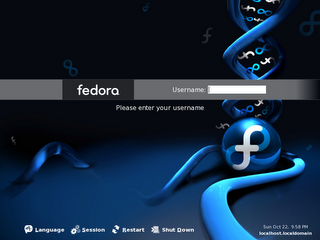
RedHat-sponsored Linux distribution has also just been released. According to a buddy of mine, who beta-tests and troubleshoots FC releases, remarked that FC6 is "very shiny." I'll probably be getting the install DVD from him in the next few days. Download information can be found at the Fedora Project website.
If the jump from FC4 to FC5 is at all telling, Fedora users should be in for a real treat this time around.
Posted by
pankaj
at
6:29:00 PM
0
comments
Labels: Linux, News, Opensource, review, Software
Screencasting: Screen Capture Software Review & Tricks
Screencasting to help your mom is a handy guide to help you choose the right screen capture software on a Windows PC, Mac OS or Linux Platform. Screen Capture software are used to to capture screen video, grab scenes from dvd movies or even a playing screen saver.
How often friends visit you to learn how to use email, how to search Google or how to install a software. Or how do you teach Outlook Express to your Mom who is sitting miles away. Just screencast it. Record your desktop computer activity with narration and share it as a video.
Screencasting is a process of creating interactive demonstrations and software simulations. You take a series of screenshots of a running application. The software records your actions and instantly create a simulation or Screencast. The movies can be in a variety of formats like Standalone EXE, Macromedia Flash SWF, AVI format or the Windows Media Video (WMV) format or as streaming presentations from a website. You can even burn the simulations / demonstrations on a CD for mailing them to your Mom.
Screencasts can be used for describing software projects, reporting bugs, and explaining interactions. Just as a screenshot is a picture of a user's screen, a screencast is essentially a movie of what a user sees on his monitor. And if a picture is worth a thousand words, a movie is worth a thousand pictures. Creating a screencast helps software developers show off their work. It is a useful skill for ordinary software users as well, to help report bugs (the movie takes the place of potentially unclear written explanations) or to show others how a given task is accomplished in a specific software environment.
Posted by
pankaj
at
2:48:00 PM
10.28.2006
Dell recommends 2 GB of memory for Vista
After Samsung, Dell is the second major company that tells its customers that Vista may need more system memory than what Microsoft is listing in its system requirements. According to a report in the Seattle Post Intelligencer (SPI), chief executive officer Kevin Rollins promoted an upgrade to 2 GB.
You may be used to the procedure of doubling your system memory every few years or so, when a new operating system is introduced. We have seen this tradition with Windows 95, when the memory went from 4 to 8 MB in the mainstream or more recently with Windows XP when most users went from 128 MB to 256 MB. Windows Vista won't make an exception, even if you are already running your XP with a comfortable 1 GB of RAM.
Posted by
pankaj
at
8:45:00 AM
10.27.2006
Ubuntuclips.org launched
The goal of this site is to introduce new users to Ubuntu by way of short video clips that highlight Ubuntu's features and demonstrate how to complete common tasks. If you know of our have any clips that would help new users get started please submit them here. The site is sponsored by SFU's Centre for Policy Research on Science and Technology.
Posted by
pankaj
at
1:36:00 PM